What Image Combiner is
A bundle sells better when you can see what is in it. But products are usually photographed one at a time, and pasting cut-outs together gives itself away: shadows fall different ways, sizes are wrong, the light does not match.
Image Combiner takes up to 8 photos and makes one photograph of them together: one light, one surface, one shadow direction. You choose which product leads, how they are arranged — 8 ways — and what they stand on.
Good for
- Bundles and starter sets with one price
- Gift sets for a season or a promotion
- A whole range lined up in one image
- Cross-sell ads: the product and what goes with it
How it works, in four steps
- 1
Add two or more photos
One product per photo, on a plain background — up to 8 at once.
- 2
Put the hero first
Image 1 leads the scene. Drag the tiles to reorder, and describe where things go if it matters.
- 3
Choose the arrangement and surface
Grouped, flat lay, line-up and more, on wood, marble, fabric or a plain sweep.
- 4
Generate a few and pick
Composites vary between runs, so run it two or three times at 4 credits a run and keep the one whose shadows look right.
Add the products
Each product comes in as its own photo. The first photo is the hero: it sits nearest the camera and everything else is arranged around it.
Say where things go
The Describe box is how you direct the scene: which product stands where, what leans on what, what is in front. Leave it empty and the arrangement style decides.


Choose the arrangement
The arrangement is the biggest decision here: grouped, laid flat, one hero in front, a built scene, a line-up. There are 8, and it is the first thing to change if a result looks wrong.
- GroupedSafest
- Everything arranged together as one group. The most reliable layout — overlapping objects prove they are in the same place.
- Flat laySocial
- Seen from directly above, laid out flat. Easy to read and hard to get wrong — there is only one shadow direction to match.
- Hero and supportLaunch
- One product in front, the rest behind and out of focus. Use it when there is a clear main item to sell.
- Built sceneLifestyle
- Placed as they would really be found, not arranged for a photo. Warmer and less like a catalogue.
- StackedBundle
- Physically stacked or leaning on each other. Good for showing a set or a bundle in one tall image.
- Line-upRange
- A straight row, evenly spaced, all the same size on screen. The clearest way to show a full range.
- FloatingEditorial
- Objects floating at different heights with shadows below. Striking in an ad — deliberately unreal, so nothing has to match a surface.
- Side by sideComparison
- Two things side by side at matching size and light, in one scene rather than two photos joined together.
Choose the surface
The surface is what makes a composite believable. A real one — wood, marble, fabric, a kitchen counter — gives every product the same contact shadow. There are 7.
- Auto
- Lets the AI choose a surface that suits the objects. A good first try — see what it builds, then pick a specific one.
- Studio
- A plain sweep behind everything. The safest surface for a composite — nothing in the background to match up.
- Marble
- A stone surface with soft reflections underneath. Reads premium, and the reflections help everything look like it is really standing there.
- Wood
- A warm wooden table. Homely and forgiving — the grain hides small differences between the objects.
- Fabric
- Soft fabric that the objects press into. The best surface for proving weight — things that dent what they sit on look real.
- Kitchen counter
- A real kitchen behind the objects. Suits food, drink and anything used at home — the background does some of the selling.
- Gradient
- A smooth colour behind everything, taken from the hero product. Clean and modern — the strongest choice for a banner.
Camera angle and size
The angle decides how many shadows have to agree. Top down is the most forgiving; a line-up needs a wide frame and a stack a tall one.
- Auto
- Let the AI choose the angle. Fine when you have no strong preference.
- Eye level
- Level with the objects. Shows the surface they stand on, which is what makes a composite believable.
- Three-quarter
- Slightly above and turned. The everyday product angle, and it shows both the tops and the sides.
- Top down
- Straight down. Only one plane and one shadow direction, so it is the most forgiving angle here.
- Low angle
- From below, looking up. Makes the group look bigger and more imposing.
- 1:1 · 1:1
- Square. Marketplace listings and Instagram grid posts.
- 4:5 · 4:5
- Tall. Takes up the most room in a feed — the usual choice for a paid post.
- 3:2 · 3:2
- Wide like a camera frame. Website banners and email headers.
- 16:9 · 16:9
- Very wide. Good for a line-up, and for desktop hero sections.
- 9:16 · 9:16
- Fills a phone screen. Stories, Reels and TikTok.
Put the set price on it
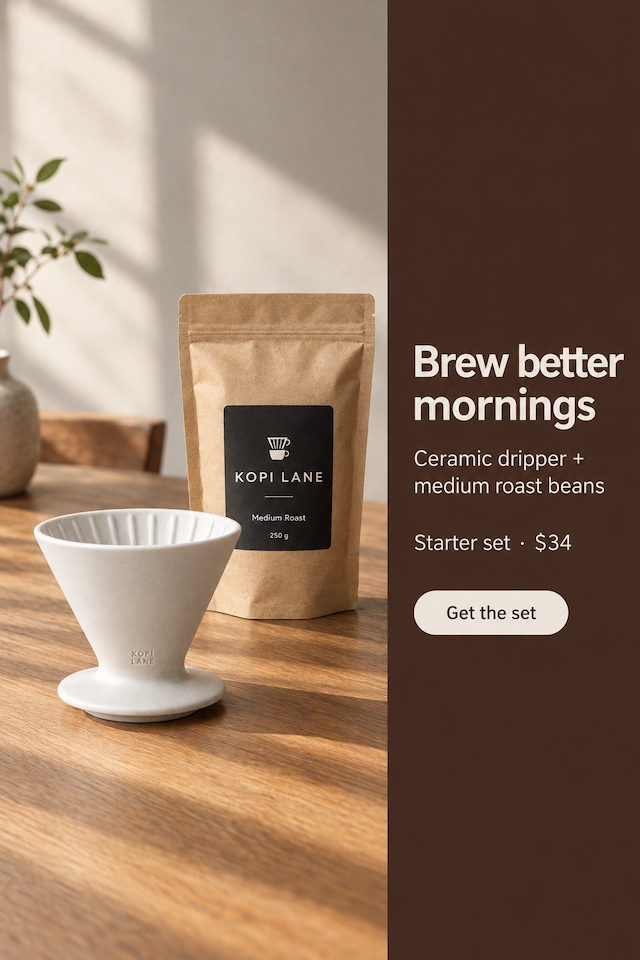
Design the ad sets a headline, what is in the set, the set price and a button on the image — the words a bundle ad needs. It costs 6 credits an image instead of 4.
 Hero
 2
Only what you type goes on the ad — the AI never adds prices, discounts or claims of its own. Check the spelling before you publish.
What it makes
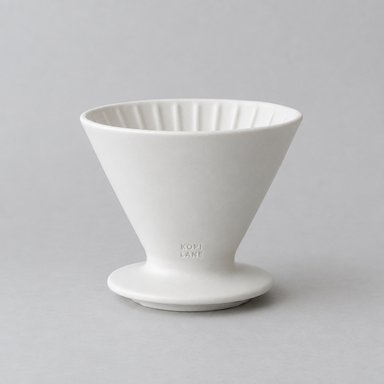
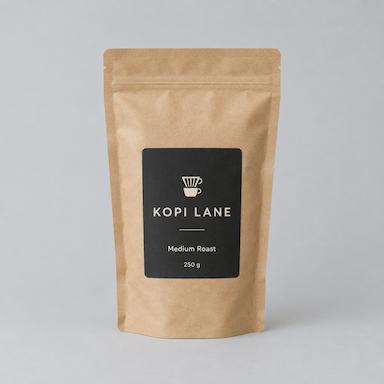
Real runs, each shown with the separate photos that went in. The same skincare set was run twice with only the price changed — once in dollars, once in baht.
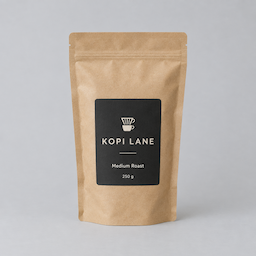
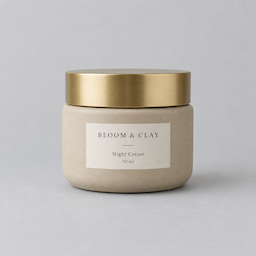

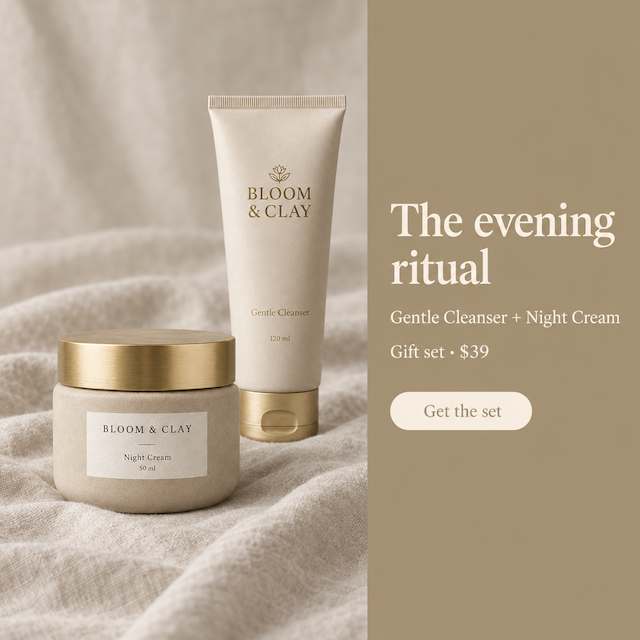

Get a composite nobody can spot
A combined photo gives itself away through light, scale and shadows. What helps most:
1One product per photo
Each input should show one thing, alone, on a plain background. Cut-outs on white work best of all.
2Match the light before you upload
Photos taken in similar soft light combine more convincingly than a flash shot beside a window shot.
3Lead with what you are selling
The hero sits closest to the camera. Put the product the ad is about first, the extras after.
4Fewer is clearer
Two to four products read at a glance. A full range of eight needs a Line-up and a wide frame.
5Check shadows and scale
Every shadow should fall the same way, and a small product should never look bigger than a large one. If not, change the surface or the angle and run it again.
6Check every label
Each product is kept as photographed, but small print can still slip. Look at every label before you publish.
Check your marketplace's rules for bundle images:
What it costs
Image Combiner spends credits from the same balance as every other studio. These are its current prices.
Image Combiner is included from the Starter plan.
| What you make | Credits |
|---|---|
| One run (1 take), free plan | 4 |
| A designed ad, per image | 6 |
A run that fails returns its credits automatically, and a run that delivers fewer images than it charged for refunds the missing ones.
Which plan you need
Every plan below is live, and each line is that plan's monthly credits divided by what one Image Combiner run costs today.
Free
Free
12 credits a month
Not included in this plan
Starter
$12/mo
100 credits a month
About 25 combined scenes a month
Pro
$29/mo
500 credits a month
About 125 combined scenes a month
Questions people ask
How many photos can I combine?+
From two up to 8 in one run. Two to four reads best; a longer range works with Line-up and a wide frame.
Does it cost more to add more photos?+
No. A run costs 4 credits however many photos go in, or 6 credits an image with Design the ad.
Which product ends up in front?+
Image 1, the hero. Drag the tiles to change the order, or say exactly where each goes in the Describe box.
Will my products stay the same?+
The studio tells the model to keep every supplied product as photographed and not to invent others. Check labels and sizes on each take before you publish.
Why does it look different every run?+
Arranging several objects has many right answers. Run it two or three times and keep the one whose shadows and scale look right; every take stays in your strip and library.
Can I put a set price on the image?+
Yes, with Design the ad: headline, what is in the set, the price in any currency, and a button. The skincare set on this page was made in dollars and in baht.
What if a run fails?+
The credits come back automatically, and a run that delivers fewer images than it charged for refunds the missing ones.
Keep going
Put your first set together
Upload two products, choose the hero, and see them shot together.
Start free